

|
If the existing books are not in the book view, you can add these
books into the book view.
In CyberArticle, click "Main Menu -> File -> Open
Book" successively and a dialog for opening a book will be displayed.
How to add books
Add local book files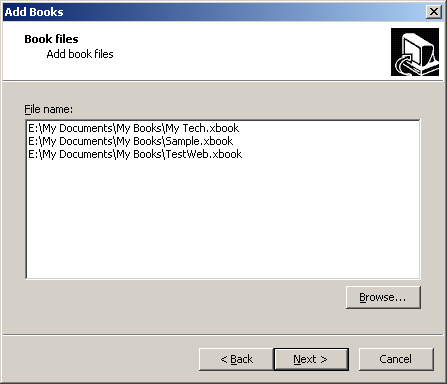 Click "Browse" button so as to add local book files. You can select
any numbers of book files once.
Add remote books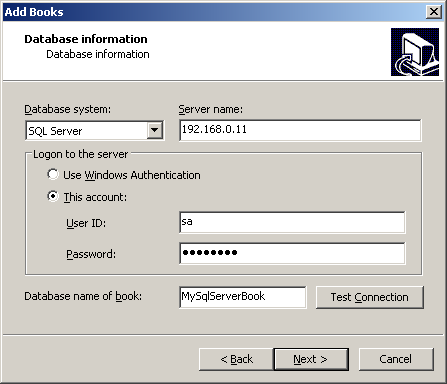 For remote books, you need to set some database information.
Database System: SQL Server, MySQL and Dameng Database
System;
Server name: Database server's IP or computer's
name;
Logon to the server: Use Windows Authentication(it is not
required to enter user's name/password in order to visit database) or specify an
account;
Database name of book: Database name on the database
server need to be specified. The database should be on the database server and
contains all tabels and data that CyberArticle requires.
|
|
|
|



